
Greenlight Debit Card Review 2026: Is It Worth the Monthly Fee?

Some links in this article are affiliate links. If you buy through them we may earn a commission, at no extra cost to you.
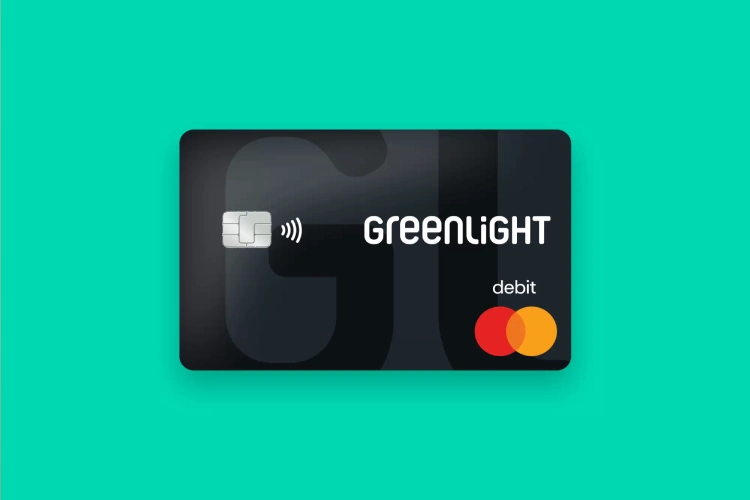
Greenlight set out to solve a genuinely specific problem: giving kids a debit card parents can actually control, down to which specific stores it works at. It's become the biggest name in the category, with more than 2 million families and over $550 million raised from investors including Andreessen Horowitz. The catch is that every one of its plans costs something every month, in a category where some real competitors charge nothing at all. We dug into the current pricing tiers, independent review data, and the complaint patterns that show up consistently enough to matter, to figure out whether the control Greenlight offers is worth paying for.
PickSuperb Verdict Box
Category | Verdict |
PickSuperb Score | 7.5 / 10 |
Best For | Parents who specifically want store-level spending controls and are willing to pay for them |
Starting Price | $5.99/month (Core) up to $19.98/month (Family Shield) |
Standout Feature | Store-level spending controls — rare among competitors |
Biggest Catch | Every plan costs money monthly, while several real competitors (Step, Chase First Banking) charge nothing |
App Store Rating | 4.8 / 5 across roughly 491,000 ratings |
Greenlight earns its reputation as the most full-featured kids' debit card on the market. Whether that justifies a recurring fee when real free alternatives exist is the actual decision a parent needs to make here.
Brand Snapshot
Greenlight Financial Technology was founded around 2014 in Atlanta, Georgia, by Tim Sheehan and Johnson Cook, with early support from Georgia Tech's ATDC incubator. Co-founder Johnson Cook summed up the original pitch simply: "There aren't any good products with a user experience designed specifically for parents." The company has since raised more than $550 million across multiple funding rounds, including a $260 million Series D in 2021 led by Andreessen Horowitz at a $2.3 billion valuation, with other investors including Wells Fargo Strategic Capital and Owl Ventures. As of its most recent public funding announcement, Greenlight served more than 2 million parents and kids, who had collectively saved over $50 million through the app's savings tools.
Product Deep Dive: The Four Pricing Tiers
Greenlight's current plan structure runs four tiers, each adding features on top of the last. Core, at $5.99 a month, covers debit cards for up to five kids, money transfers, allowance and chore tracking, direct deposit, a financial-literacy game called LevelUp, 2% savings, and basic stock/ETF browsing. Max, at $10.98 a month, adds parent-approved kid investing, 3% savings, 1% cash back on kids' purchases, cellphone protection up to $600 per claim, and single-bureau credit monitoring. Infinity, at $15.98 a month, layers on family location sharing, SOS alerts, crash detection, and driving reports, pushing the product well past pure finance into family safety territory. Family Shield, the top tier at $19.98 a month, adds 6% savings, financial-account monitoring, up to $100,000 in deceptive-transfer-fraud coverage, up to $1 million in ID-theft coverage, and covers up to nine family members rather than five. It's worth noting these prices have risen over time, older third-party sources from 2022-2024 cite a lower $4.99-$9.98 structure, so budgeting around current pricing rather than an older figure you might have seen matters here.
Greenlight Pricing Tiers — What Each One Adds
Plan | Price/Month | Key Addition |
Core | $5.99 | Debit cards for 5 kids, allowance, chores, 2% savings |
Max | $10.98 | Kid investing, 1% cash back, cellphone protection |
Infinity | $15.98 | Location sharing, SOS alerts, crash detection |
Family Shield | $19.98 | Fraud/ID-theft coverage, covers up to 9 family members |
Pros and Cons
Pros
• Store-level spending controls are a genuinely distinctive feature most competitors don't match
• 4.8 out of 5 on the Apple App Store across roughly 491,000 ratings, a very strong and high-volume score
• The Points Guy names Greenlight its top pick for kids' debit cards, citing inclusive signup options and effective category-based controls
• LevelUp financial-literacy game and allowance/chore automation go beyond a basic debit card into real money education
• Savings rates scale up to 6% at the top tier, well above a typical savings account
Cons
• Every tier charges a recurring fee, while Step, Chase First Banking, and Capital One MONEY all charge $0 per month
• Trustpilot sits at 3.2 out of 5, with a real 16% one-star cluster behind the headline number
• Customer service complaints are specific and recurring: no easy phone or chat access when something needs fixing fast
• Account freezes during fraud disputes have reportedly taken up to 90 days to resolve in some cases
• Cancellation reportedly requires a phone call rather than a simple in-app button for some users
What Real Reviewers and Parents Are Saying
"Love this easy to use product perfect for our family." — Rebecca Brown, verified Trustpilot review
"Horrible. God forbid you need some help you can't get it." — Jane Phair, verified Trustpilot review
"There is no customer service number or chat in a pinch." — Jackie, verified Trustpilot review
"Probably one of the easiest and best kids spending app to ever exist." — Apple App Store review
"Greenlight first won me over with its use of inclusive pronoun options during the application process... It has eliminated our frequent arguments about money." — The Points Guy, editorial review
How Greenlight Compares to the Competition
App/Card | Monthly Price | Parental Control Strength |
Greenlight | $5.99 - $19.98 | High — store-level spending limits |
GoHenry | $4.99 flat | Moderate — category-based controls |
Step | $0 | Low, per Young & The Invested's comparison |
Chase First Banking | $0 | Moderate, requires parent's existing Chase account |
The honest read here is that Greenlight charges for something real: its parental controls are consistently rated stronger than the free alternatives. GoHenry comes closest on features at a lower flat fee. Step and Chase First Banking are free but trade away some of that granular control, which may be a perfectly acceptable trade for a family that just wants a basic kids' debit card without monthly cost.
Who Should (and Shouldn't) Buy Greenlight
Good Fit: Parents Who Want Granular, Store-Level Control
If limiting where and how much a kid can spend, not just a general category, is a real priority, Greenlight's control depth is hard to match at any price, free or paid.
Good Fit: Families Who Want Financial Education Built In
The LevelUp game and the allowance/chore/savings structure genuinely function as a teaching tool, not just a payment card, which justifies the fee for families prioritizing that.
Weak Fit: Budget-Conscious Families Who Just Want a Basic Card
If the core need is simply a debit card a kid can use with reasonable oversight, Step or Chase First Banking deliver that for zero monthly cost, and the savings add up fast over a few years of card use.
Weak Fit: Anyone Who Needs Fast Phone-Based Support
Reviewers consistently flag the lack of an easy phone or live chat option as a real pain point. Families who strongly prefer being able to call a human immediately when something goes wrong should weigh this carefully.
Our Top Pick in the Lineup
For most families, Core at $5.99 a month covers the features that actually matter, debit cards, allowance automation, and the financial-literacy tools, without paying for family-safety features (location sharing, crash detection) that function more like Life360 than a banking app. Families who specifically want those safety features bundled in, and don't mind paying for them, get real added value stepping up to Infinity or Family Shield.
Pricing and Where to Buy
Greenlight is available directly through greenlight.com and its mobile app, with no third-party retail option since it's a financial product rather than physical goods. New users typically get a free trial period before the first charge, worth using fully to test the app's day-to-day reliability given the mixed reviews on app bugs, before committing to a paid tier.
Setting Up Greenlight the Smart Way
A few practical habits make a real difference given the complaint patterns documented above. Set up direct deposit or a recurring transfer into the account rather than relying on manual top-ups, this is the single most common fix recommended for the "declined despite having funds" complaint, since pending transactions often cause the balance shown in the app to lag behind what's actually available. Turn on every notification the app offers for spending and low-balance alerts rather than checking manually, since several of the account-freeze complaints trace back to a parent not noticing a flag on the account until well after the fact. And before committing to an annual plan, run at least one full billing cycle on the monthly rate first, given how many of the cancellation complaints involve a recurring charge the family forgot they'd signed up for a year earlier. None of this eliminates the risk of a slow support interaction if something does go wrong, but it meaningfully reduces how often you'll need to find out.

Frequently Asked Questions
Is Greenlight worth the monthly fee?
If store-level spending controls and built-in financial education matter to you, yes, those features are genuinely stronger than most competitors. If you just want a basic kids' debit card, a free alternative like Step or Chase First Banking may cover your needs without the recurring cost.
How does Greenlight compare to Step?
Step charges nothing monthly and offers solid basic features, but Young & The Invested's direct comparison rates its parental controls as "Low" versus Greenlight's "High," reflecting Greenlight's more granular, store-level restriction options.
What's the most common complaint about Greenlight?
Customer service accessibility. Multiple reviewers specifically mention the lack of an easy phone number or live chat option when something needs to be resolved quickly, alongside occasional app bugs and slower-than-expected fraud dispute resolution.
Can you cancel Greenlight easily?
Some reviewers report needing a phone call rather than a simple in-app cancellation button, which is worth knowing going in if you want a clean exit path before signing up.
Is Greenlight safe for kids to use?
The core premise is built around safety, store-level spending limits, parent-approved transactions, and no ability for a kid to overdraw the account, which is a genuinely different safety model than handing a child a standard debit card. The main safety-adjacent concerns in reviews are about account access during disputes (slow fraud-resolution timelines) rather than about the card itself being risky to use day to day.
What age is Greenlight appropriate for?
Unlike some competitors that set a minimum age (Capital One MONEY requires 8+), Greenlight doesn't enforce a strict age floor, letting parents decide when a child is ready for their first card, which The Points Guy specifically called out as more flexible than competing products in its category, alongside inclusive signup options the same reviewer singled out favorably.
PickSuperb Scorecard
Category | Score |
Value for Money | 6.5 / 10 |
Parental Control Features | 9.0 / 10 |
App Reliability | 7.5 / 10 |
Customer Support Track Record | 6.0 / 10 |
Financial & Safety Features | 8.5 / 10 |
Overall PickSuperb Score | 7.5 / 10 |
Final Verdict
Greenlight earns its position as the category leader on features, the store-level spending controls and the financial-literacy tools built into the app are genuinely ahead of the free alternatives. What it doesn't do is make the case that every family needs to pay for those extras. If granular control and built-in money lessons matter to you, the monthly fee is buying something real. If you just want a simple, supervised debit card for a kid, Step or Chase First Banking will get you there without the recurring cost. For another direct-to-consumer brand that's built a strong customer reputation around a focused feature set, see our Kingbriefs Zero-G pouch underwear review.
Written by
Admin
You might also like

SkyBound Review: A Trampoline Range That Looks Strong on Paper, With Worrying Owner Reports
SkyBound sells round, oval and kids’ trampolines from Santa Ana, CA, with 10-year frame warranties on most models. But every Trustpilot review is one-star, citing damaged parts and frame failures. Full honest verdict.

Zupapa Review: Heavy-Duty Backyard Trampolines Built for Durability and Safety
Zupapa’s trampolines are TÜV certified, backed by a 10-year warranty, and rated around 4.7 stars on popular models. Owners say they’ve “held up very well,” though one reported breaks. Full honest verdict.

Yoto Player Review - The Screen-Free Audio Player Every Parent Is Talking About
The Yoto Player is a screen-free audio player designed for children. We review how it works, the card library, audio quality, durability and whether it's worth the price for parents.
0 Comments
No comments yet - be the first to share your thoughts.